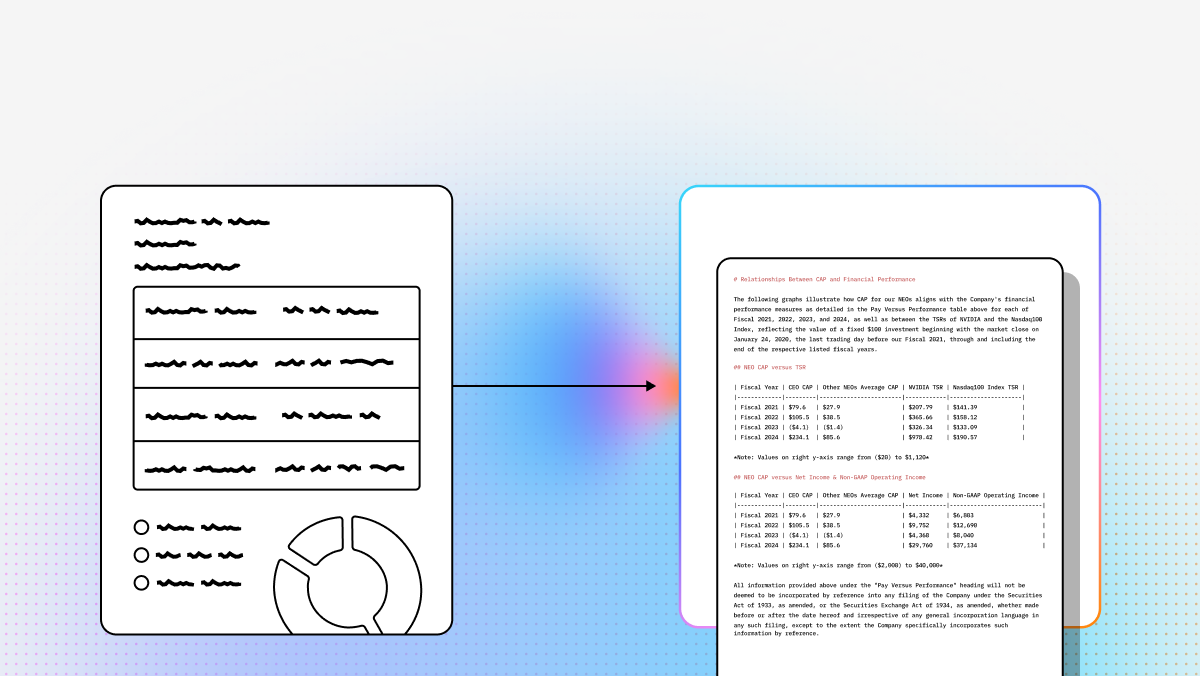
For decades, OCR was mostly a game of “see text, copy text.” But for modern AI teams, that is no longer enough. If you’re building RAG systems, autonomous document agents, or extraction-heavy enterprise workflows, the real challenge isn’t just turning pixels into text—it’s preserving structure, meaning, and context so downstream models can reason over the result.
That shift is why the market is moving from legacy OCR toward what many teams now think of as document understanding or agentic document processing. Instead of relying only on brittle templates, fixed zones, or bounding-box heuristics, newer tools increasingly aim to reconstruct tables, identify layout relationships, and produce outputs usable by LLMs, vector databases, and workflow engines. AWS, Google Cloud, and LlamaParse all frame their products around richer document understanding rather than plain text extraction.
For developers and technical teams, this matters because document quality becomes model quality. If your parser flattens tables, loses section hierarchy, or separates figures from their captions, your retrieval and extraction layers inherit that damage. A strong parser, by contrast, can dramatically improve chunking quality, grounding, extraction accuracy, and agent reliability in production AI systems.
This guide compares leading options across cloud APIs, open-source tooling, and GenAI-native parsing platforms—prioritizing what matters most for builders: structured output, multimodal understanding, developer ergonomics, and fit for RAG/workflow automation.
| Company | Capabilities | Use Cases | APIs |
|---|---|---|---|
| LlamaIndex (LlamaParse) | Agentic document processing, multimodal parsing, semantic layout reconstruction, structured extraction, image indexing, workflow orchestration | Enterprise RAG, invoices/receipts, insurance claims, finance, manufacturing QC | Python/TS SDKs; LlamaParse API v2; integrations across LLMs/vector stores/data sources |
| AWS Textract | OCR, handwriting, forms/tables extraction, query-based analysis | High-volume processing, KYC, mortgage/forms workflows | Managed AWS API; integrates with S3/Lambda |
| Google Cloud Document AI | Pretrained processors, entity extraction, HITL, generative custom extraction, validation | Invoices/AP, procurement, legal/gov digitization | Cloud APIs; specialized processors + custom extractors |
| Hyperscience | Enterprise IDP, strong handwriting, HITL learning, workflow orchestration | Mailroom, claims, government records, handwritten forms | Enterprise platform; API varies by deployment |
| Docling | PDF→Markdown, layout analysis, local parsing, structured export | Local/private RAG, research papers, internal tools | Open-source local tooling |
| Landing AI | Visual prompting, custom vision training, OCR for challenging environments, annotation workflows | Industrial/QA, noisy visuals, specialized extraction | Platform APIs/tools for CV + deployment |
| PyMuPDF | Fast PDF extraction, coordinates, rendering, low-level PDF control | Custom extraction scripts, preprocessing, annotations | Python library (no built-in OCR) |
| pypdf | Basic PDF manipulation + text/metadata extraction | Lightweight/serverless PDF workflows | Pure-Python library |
1. LlamaParse (LlamaIndex)
Summary
LlamaParse is the most developer-aligned option here if your goal is not just OCR, but a full AI pipeline built on documents. It treats parsing as a reasoning problem, which makes it especially compelling for RAG, document agents, and schema-driven extraction.
Key benefits
- Better on complex layouts (nested tables, charts, mixed content).
- Developer-first ergonomics (Python + TypeScript).
- Natural alignment with structured extraction and orchestration.
Core features
- Multimodal parsing for text + tables + charts + images.
- Schema-driven extraction via LlamaExtract (consistent JSON/fields).
- mage indexing and retrieval for multimodal RAG.
- Agentic workflows + orchestration (MCP-style integrations).
Best for
- Enterprise RAG over messy PDFs (reports, manuals, policy docs).
- Invoice/receipt/contract extraction with strong structure requirements.
- Regulated workflows needing traceable extraction.
Recent updates
- API v2 parsing endpoint with tiered modes/config.
- LlamaExtract adds citations + reasoning (auditability).
Limitations
- More developer-centric than UI-heavy tools.
- For massive simple OCR, hyperscalers may be easier to run.
- Best results often require pipeline engineering.
2. AWS Textract
Summary
A safe pick for AWS-native organizations. Textract is a managed service for printed text, handwriting, tables, and forms extraction.
Core features
- Query-based extraction
- Forms + table recognition
- Handwriting support
Best for
- High-volume doc ingestion in AWS.
- KYC/onboarding, mortgage/lending packages.
- Structured form workflows.
Recent updates
- 2025 improvements: rotated text, superscripts/subscripts, visually similar chars, low-res/faxes.
Limitations
- Often needs post-processing for LLM/RAG readiness.
- Less strong on highly irregular layouts vs GenAI-native parsers.
- Costs can rise at scale.
3. Google Cloud Document AI
Summary
Strong for teams who want pretrained processors, a big cloud platform, and a path from OCR → classification/extraction, including generative workflows.
Core features
- Specialized processors (invoices, IDs, paystubs, etc.)
- Human-in-the-loop review
- Generative AI workbench + custom extraction
Limitations
- Forecasting cost/processor selection can be tricky.
- Best experience often assumes deeper GCP comfort.
- Overkill for lightweight parsing.
4. Hyperscience
Summary
A classic enterprise IDP platform—especially strong where handwriting, exception handling, and HITL workflows are central.
Core features
- Strong handwriting recognition
- HITL learning and review loops
- Workflow orchestration for back-office ops
Limitations
- Heavier implementation + longer buying cycle.
- More platform overhead than many dev teams need.
- Less ideal for quick experimentation.
5. Docling
Summary
A developer-friendly, local/scriptable conversion tool (PDF/Office/HTML/images) into AI-ready formats like Markdown/JSON.
Core features
- PDF → Markdown
- Layout-aware parsing
- Local processing
- Structured exports
Limitations
- Not as strong as cloud OCR leaders on poor scans.
- Smaller ecosystem/less managed infra.
- Best for teams assembling their own pipeline.
6. Landing AI
Summary
Useful when “document parsing” bleeds into broader computer vision: difficult visuals, industrial contexts, custom vision training, governance/traceability.
Limitations
- Less specialized for classic table reconstruction than document-AI-first tools.
- Better for vision-centric enterprise tasks than simple PDF ingestion.
7. PyMuPDF
Summary
A low-level PDF power tool: fast extraction, coordinates, rendering, inspection—great foundation for custom pipelines.
Limitations
- No built-in OCR for scans.
- Requires engineering to become “document understanding.”
8. pypdf
Summary
A pure-Python utility library for splitting/merging/cropping/extracting text/metadata—portable and dependency-light.
Limitations
- Not an OCR platform.
- Weak layout understanding vs modern parsers.
FAQ
What’s the difference between OCR and AI document parsing?
- OCR: converts pixels → text (character recognition).
- AI document parsing: preserves structure + meaning, e.g.:
- headings/subheadings
- tables with row/column relationships
- key-value form fields
- figure-caption pairing
- page regions + reading order
Rule of thumb
- Use OCR alone for basic digitization/searchability.
- Use document parsing when structure impacts RAG/extraction/agents.
Which tool is best for RAG?
Criteria that usually matter most:
- heading/section hierarchy preservation
- table fidelity (not flattened)
- correct reading order (multi-column PDFs)
- metadata for chunking + citations
- output that maps cleanly into nodes/embeddings/indexes
Practical picks:
- LlamaParse: best aligned to RAG + agents + structured extraction.
- Docling: good for local/open-source-heavy stacks.
- Textract / Document AI: strong enterprise processors, but may need extra post-processing for LLM-ready outputs.
How do I choose: cloud API vs open-source vs GenAI-native?
Cloud APIs (Textract / Document AI) if you need:
- managed scale + fast deployment
- tight AWS/GCP integration
- high-volume standard business docs
- enterprise security/support
Open-source/local (Docling / PyMuPDF / pypdf) if you need:
- local processing for privacy/compliance
- maximal control/customization
- lower cost and you can assemble components
GenAI-native (LlamaParse) if you need:
- outputs optimized for LLMs/agents
- semantic reconstruction (not just text)
- better handling of complex layouts/multimodal content
Many production systems are hybrid:
- low-level PDF tools → layout parser → schema extraction → retrieval/indexing
What features matter most for enterprise workflows?
Don’t evaluate only on “can it read text.” Evaluate on:
- layout preservation (headings/columns/tables)
- structured output (JSON/Markdown/schema fields)
- table fidelity
- multimodal support (charts/images/diagrams)
- metadata + citations (auditability)
- developer ergonomics (SDKs, clean APIs)
- scalability/reliability (batch, retries)
- human review paths (exceptions)
- privacy + deployment model
Key question: Does this output improve downstream retrieval/extraction/agent reliability—or degrade it?
Can PyMuPDF or pypdf replace a full OCR/document understanding platform?
Usually not alone.
They’re excellent for:
- splitting/merging PDFs
- embedded text extraction
- metadata and annotations
- rendering/coordinates (PyMuPDF)
- preprocessing before OCR/parsing
But they don’t provide:
- robust OCR for scanned pages
- deep layout semantics/table reconstruction
- turnkey production IDP features
Best used as foundational components alongside tools like LlamaParse, Textract, or Document AI.